AI Video Generator by ngram
AI Video Generator for the work your business ships

Include the audience, goal, source facts, duration, channel and final action. Keep the full brief for review after sign-in.
Video generation uses credits. Review your estimate in ngram. MP4 downloads require Basic or higher.
How credits work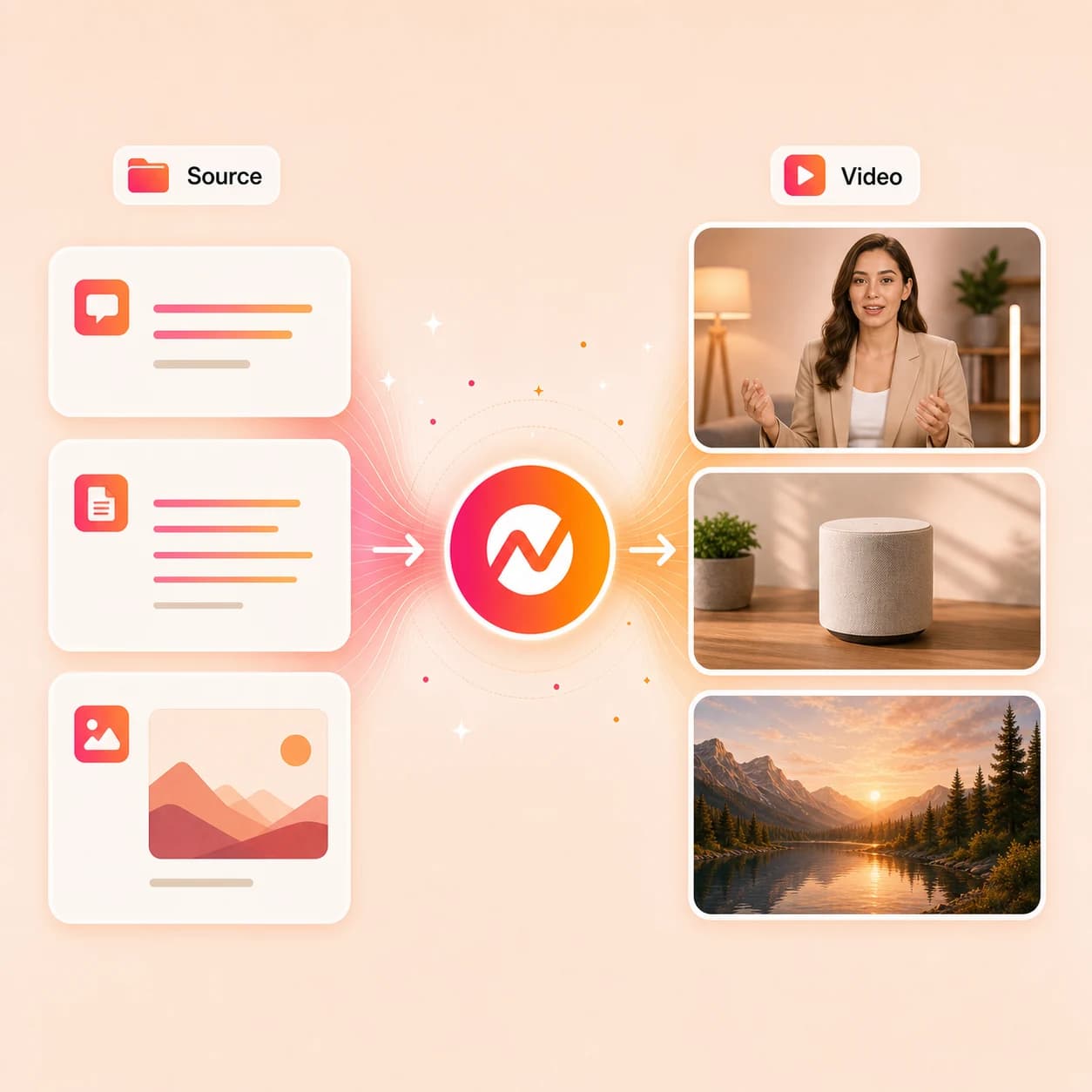
What it does
Start with your message, a public page, PDF or image. Make a product update or explainer, then revise it when the source changes. Sign-in is required to continue; generation uses your account allowance. Preview artwork illustrates the workflow.
Trusted by teams at


How it works
How the AI video generator works.
Bring one clear message and its source. Continue in ngram to review the plan, request a focused change and inspect the exported result.
Bring a source and a clear brief
Paste a prompt or public URL, or upload a PDF or image here. Include the audience and outcome. After sign-in, check that the source arrived and add any missing brief details before generation.
Source ready
Review the message and scene plan
Check the planned words and visuals against the source. Review the script and proposed scenes, then request changes or approve the plan.
Plan reviewed
Generate and inspect the first draft
Watch for accurate product names, readable text and narration that matches the source. Turn on captions when a caption track is available and check the text.
First cut generated
Request one change, then export
Use chat or Make changes to name the exact change and what should stay the same. Watch the revised video, then download the final MP4 when rendering is ready.
Reviewed export
What it can do
What the AI video generator builds for you.
Plan an explanation from your own material, then review the result against it. Check the facts, visuals and final message before sharing.
Script and storyboard first
Draft a script and scene plan from your source. Check the audience, message and final action before approving production.
Learn more about script generationScene visuals from your context
Generate backgrounds, B-roll, and supporting imagery for each scene with prompts tuned to your script and brand direction.
Learn more about AI visualsAI voiceover that follows the script
Generate narration from your script, then check product names and pronunciation. Request wording or pacing changes in the project.
Learn more about AI voiceoverCaptions you can check
Turn on captions when a caption track is available. Check the terminology, timing and visible text before publishing.
Learn more about captionsReusable Brand Kit direction
Use supported Brand Kit settings for recurring work. Check the actual logo, colors, typography and tone in each output; do not assume every generated detail is correct.
Learn more about brand kitSee a finished explainer
Watch the seasons example in our explainer comparison to see how ngram turns a concept into a visual explanation.
Watch the explainer exampleBuilt for branded, message-led video work
When it matters
Choose the next video your business needs.
Start with one recurring message: a product change, a customer question or a lesson update. Keep the source and accepted wording ready for the next revision.
AI Explainer Video Maker
Use the AI video generator to turn product docs, landing copy, and rough notes into an explainer with structure, visuals, voiceover, and captions.
Open AI video use caseAI Video Creator for Business
Generate branded business videos for product, marketing, sales, success, and internal teams from prompts, docs, URLs, and recordings.
Open AI video use caseAI Video Generator for Marketing
Run the AI video generator on campaign briefs, landing pages, launch notes, and competitive copy to produce marketing video variants.
Open AI video use caseProduct Launch Video Maker
Point the AI video generator at launch notes, screenshots, and product recordings to produce a launch video for the announcement and social.
Open AI video use caseFeature Announcement Video
Generate a feature announcement video from release notes, changelog copy, and product captures with clear story, voiceover, and brand polish.
Open AI video use caseProduct Explainer Video
Generate a product explainer from docs, screenshots, URLs, and screen recordings, then keep the script and visuals editable in chat.
Open AI video use caseTraining Video
Explain one learning objective from approved source notes. Review facts and captions with the source owner before sharing the lesson.
Open AI video use caseMarketing Social Clips
Create a short social version from an approved message. Choose the aspect ratio before production and review each channel cut separately.
Open AI video use caseAd Creative Video
Run the AI video generator on a brief and brand context to produce paid-ad variants with hooks, callouts, captions, and a channel-specific format chosen before rendering.
Open AI video use caseProduct stack
The product stack behind the AI video generator.
Each feature page below shows a part of ngram that the AI video generator wires into the final draft, from planning through brand and export.
Script Generation
Turn prompts, PDFs, URLs, decks, and recordings into the script and scene plan that drives the AI video generator's draft.
Learn more about script generationAI Visuals
Generate scene backgrounds, B-roll, and supporting imagery so the AI video generator's storyboard has visual material in every scene.
Learn more about AI visualsAI Voiceover
Build narration directly from the AI video generator's script, switch voices, and localize the voiceover for international cuts.
Learn more about AI voiceoverCaptions
Turn on captions when a caption track is available. Check the wording, timing and terminology before export.
Learn more about captionsMotion Graphics
Apply title cards, lower thirds, callouts, transitions, and animated graphics on top of the AI video generator's scenes.
Learn more about motion graphicsBrand Kit
Reuse approved brand direction for recurring AI video projects, then check the actual visual treatment in each result.
Learn more about brand kitVideo Editing
Request precise revisions through chat or Make changes. Name what should change and what should remain, then inspect the revised output.
Learn more about video editingMore tools
More tools around the AI video generator.
Use these when the input is narrower than a full prompt, or when the AI video generator's draft needs a specific layer of polish or narration before export.
Focused entry points by source
Skip the generic prompt when the source is already clear.
Text to Video
Send a script, outline, or article straight to the AI video generator's draft path when the message is already written.
Open toolURL to Video
Paste a launch page, release note, or article URL and let the AI video generator pull the message and key visuals.
Open toolImage to Video
Animate product shots, screenshots, or generated imagery when the AI video generator's brief is mostly visual.
Open toolAI Avatar Video Generator
Explore the dedicated presenter-led workflow when narration suits the message. Check the supported script input and presenter options on that tool.
Open toolPolish the generated draft
Add captions, music, edits, or branded titles after the first render.
Video Editor
Open the dedicated editing workflow for an existing video. Follow the tool instructions to make your changes and review the result before export.
Open toolAdd Subtitles to Video
Generate timed subtitles for the AI video generator's draft and style them with the same brand system as the rest of the cut.
Open toolAdd Music to Video
Place background music under the AI video generator's voiceover and balance the mix without overpowering the script.
Open toolAdd Text to Video
Layer titles, lower thirds, labels, and callouts on top of the AI video generator's scenes for clearer pacing.
Open toolScript and voice path
Plan the message and the narration before sending it to the generator.
Video Script Generator
Draft a hook, body, scenes, and CTA before the AI video generator turns the script into a storyboard.
Open toolAI Voice Generator
Generate narration ahead of the AI video generator's draft when the voice direction needs to be locked first.
Open toolText to Speech Video
Turn a written script into a narrated video draft when speech is the central output the generator should produce.
Open toolVideo Translator
Localize the AI video generator's draft into other languages with translated script, captions, voiceover, and lip sync.
Open toolConvert
Converters that feed the AI video generator.
Use a dedicated source workflow when your material is a deck, document or recording. Check that workflow’s input limits; the upload on this page accepts PDFs and images.
Text to Video
Turn a script, outline, or pasted message into the AI video generator's storyboarded draft.
Open converterURL to Video
Use a product page, blog post, or release note as source material the AI video generator can plan around.
Open converterDocs to Video
Start from a permitted document or copied source text. Confirm access and supported input format in the document workflow before generation.
Open converterWho it is for
Teams that rely on an AI video generator.
These teams already have the source material. The AI video generator removes the production gap between a message and a branded video.
Product Marketing Managers
Run the AI video generator on launches, positioning narratives, and PMM enablement copy without booking a separate video pipeline.
See product marketing workflowsGrowth & Marketing
Use the AI video generator on campaign briefs, landing copy, and ad concepts to produce videos for social, paid, and web channels.
See growth workflowsFounders & Solopreneurs
Generate pitch, product update, and founder-led videos from raw notes when there is no editor or producer on the team.
See founder workflowsSales Enablement
Explain a product workflow or buyer question from approved material, then review every claim before using the video in sales enablement.
See sales enablement workflowsCustomer Success
Create an onboarding or feature-education video from a current help article, and revise the affected steps when the product changes.
See customer success workflowsSupport Teams
Turn an approved answer into a focused video explanation. Compare the script and demonstration against the current help article.
See support workflowsEducators & Trainers
Use the AI video generator on lessons, SOPs, and recordings to produce training videos with narration, captions, and structure.
See educator workflowsAgencies & Consultants
Run the AI video generator across client briefs and brand kits to produce repeatable, on-brand video deliverables for each account.
See agency workflowsIntegrations
Wire the AI video generator into your stack.
Use each integration’s documented generation actions. The recipes below describe possible inputs and continuations; they are not completed tests of this page’s exact workflow.
Brief to AI-generated video
ZapierWhenA campaign brief, intake form, or content request gets approved upstream.
ThenUse the documented generation action with the approved brief. Check the resulting video in ngram before publishing.
Approved doc to first cut
n8nWhenA doc, release note, or lesson moves to an approved state in your workflow tool.
ThenUse n8n’s supported video-generation action with the approved prompt. Open the result in ngram for review and editing.
Agentic video creation
MCPWhenAn AI agent has the source context and needs a branded video back, not just text.
ThenInvoke the AI video generator through MCP with the prompt, assets, and audience attached.
Capture page, send to generator
ChromeWhenYou are reading a launch page, doc, or release note that should become a video.
ThenSend the page context into the AI video generator without rebuilding the brief by hand.
YouTube
BetaWhenThe team approved the AI-generated video; it is ready for YouTube.
ThenCompose the YouTube post for the AI-generated video, then publish it now.
Use these surfaces when the AI video generator needs to run alongside agents, automations, or browser-based capture.
Why ngram
How AI video generators differ.
Compare the workflow you need using current public product descriptions. These are category-fit notes, not a same-task quality benchmark or hands-on competitor test.
| Compare | ngram | Synthesia | Runway | InVideo AI |
|---|---|---|---|---|
| Workflow fit | This page accepts a prompt, public URL, PDF or image; other source workflows are available inside ngram. | Public product pages describe AI avatars and voiceovers for business video. | Public product pages describe video generation from text, images and existing clips. | Public product pages describe prompt-driven video creation and an editing workflow. |
| How ngram fits | Review the script and production plan before generating the video. | The platform includes document and link inputs plus translation and editing workflows. | The product offers generation, editing and extension of video clips. | The product offers generated visuals, narration and other production elements. |
| Best use | Request revisions in chat, review the whole result and export MP4. | Consider it for presenter-led business communication; verify the exact source, edit and plan your job needs. | Consider it when generated shots are central to the brief; test your specific source and revision requirements. | Compare the actual draft, source accuracy and editing workflow on the plan you intend to use. |
FAQ
Common questions about the AI video generator
Still curious?
Bring the next message your team needs to explain
Keep the audience, source facts and next action in the brief. Generate one draft, request one precise revision, then check the exported video against the source.
Sign in to start a new brief. To carry a prompt, URL or file from this page, use the input panel above.
Generation uses credits. Starter exports have a watermark. Review current plan limits.