For Product Managers
Show what you're building—without the production bottleneck
Turn roadmap docs, screen recordings, and release notes into polished demos, changelogs, and stakeholder updates. Ship video as fast as you ship product.
Raw recordings → Polished demos
Trusted by teams at


Made with ngram
Videos made by Product Managers with ngram
See how product managers use ngram to create professional videos faster.





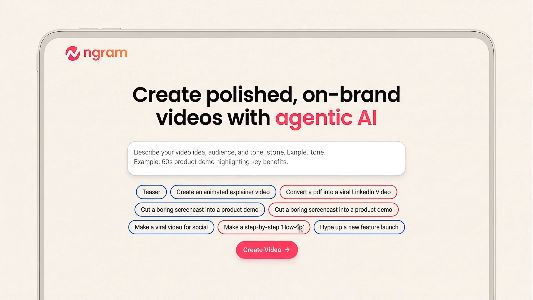

You're shipping features. But who's seeing them?
You're the product manager who prioritized ruthlessly, shipped on time, and closed out the sprint. The feature is live. But now comes the part nobody planned capacity for - showing what you built to the people who need to see it. Your current process looks like this: record a quick Loom of the new feature, realize the recording has dead air and awkward pauses, decide it's not polished enough to share with leadership, write a text update in Slack instead. For the changelog, you paste bullet points into Notion and hope customers read it. For the sales team, you schedule yet another demo call because they need to see the product, not read about it. The downstream cost is real. Stakeholders keep asking what shipped this quarter because they skimmed your doc and forgot. Sales reps demo outdated workflows to prospects because they missed the feature update buried in Slack. Customers submit support tickets for functionality that already exists because the changelog was text they never opened. Every sprint, you face the same tradeoff: spend a day producing polished video communication, or ship a rough recording and hope for the best.
Stakeholder updates that disappear into Slack threads.
You wrote the update doc in Notion, posted a summary in the product channel, and tagged the VP of Engineering. Two days later, the CEO asks in the all-hands what shipped this quarter. Text updates get skimmed, archived, and forgotten - but a video walkthrough would have stuck.
Demo requests that hijack your sprint planning time.
Sales needs a walkthrough for an enterprise deal. Customer success wants an onboarding demo for a new account. The solutions engineer asks you to hop on a call to explain the new API. Each request pulls you out of your Jira board and into a recording session that produces a one-time asset nobody can reuse.
Changelogs that customers treat as background noise.
You wrote detailed release notes with screenshots and step-by-step instructions. Customers still open support tickets asking for the exact feature you documented last month. Text-based changelogs get the same attention as terms-of-service updates - a quick scroll and close.
Bug reports that trigger a meeting instead of a fix.
You captured the bug on screen and sent the recording to engineering. But without zoom-ins, annotations, or clear step labels, the engineer watches it once, can't pinpoint the issue, and pings you to hop on a call. The recording saved nobody's time.
You ship fast. Your communication should too.
From screen recording to shipped video. Minutes.
Recordonce.Polishautomatically.Shipeverywhere.
1
ngram turns your raw recordings, roadmap docs, and release notes into polished videos that show exactly what you built.
2
Drop in a screen recording. ngram auto-cuts the dead air, adds smart zoom on clicks, emphasizes your cursor, and generates callouts and step labels. Or paste your release notes - ngram writes the script and builds a changelog video with motion graphics and captions.
3
Review the plan before anything renders. Refine in plain language. Export and share.
Stop choosing between a rough recording and a production cycle. Get polished video at the speed of product.
Videos for every Product Managers workflow
From product update to polished video in minutes
Drop in your PRDs, release notes, or Jira tickets
Upload a screen recording, paste your release notes, or link a PRD. ngram works with whatever you already have - no need to create a separate brief or storyboard document.
Tell us who it's for
Specify the audience - internal stakeholders who need a sprint update, customers who should know about a new feature, or engineers who need to see a bug reproduction. ngram adjusts the depth, tone, and structure for each.
Review the script
ngram generates a script and scene plan before rendering. Edit the narrative, reorder sections, or add context for specific audiences - all in plain language. No timeline editing, no learning curve.
Generate the video
Once approved, ngram produces a polished video with auto-cut, smart zoom, callouts, captions, and your brand kit applied. Your rough recording or text doc becomes a professional asset.
Export for every channel
Share in Slack, post to your changelog, embed in Notion, or export for LinkedIn. One video covers every channel where your stakeholders and customers consume updates.
Built for how Product Managers actually work
01Learn more
Auto-Cut
Clean recordings without manual trimming
Your sprint demo recording has pauses while you navigate between screens and dead air where you lost your train of thought. Auto-cut removes all of it automatically, so the final video looks like you planned every transition - even when you didn't.
95% efficiency
02Learn more
Script & Storyboard Generation
Turn docs into video structure
Paste your PRD, release notes, or Jira epic summary. ngram writes a script and plans the visual structure scene by scene - so you go from a text doc to a video narrative without staring at a blank timeline.
90% efficiency
03Learn more
Smart Zoom
Focus viewers on what matters in your demo
When you click through a new feature in your screen recording, smart zoom automatically highlights the interaction. Stakeholders and customers see exactly what changed without squinting at a full-screen capture of your entire dashboard.
95% efficiency
04Learn more
Multi-Format Export
One recording, every audience
Export the same product demo for Slack (16:9), a LinkedIn announcement (1:1), or an in-app changelog (9:16). PMs share updates across more channels than most roles - ngram ensures one recording covers all of them.
90% efficiency
05Learn more
Collaboration
Async review with engineering and leadership
Share a draft video with your engineering lead, design partner, or VP of Product. They leave scene-level comments instead of scheduling a review call. Resolve feedback and ship without the calendar overhead.
80% efficiency
What changes when video is easy
Ship updates without the production cycle
No more choosing between a rough recording and a two-week creative queue. Polish video in minutes, not days.
Show, don't tell
Stop writing docs that nobody reads. Show stakeholders, customers, and teammates exactly what you built.
Fewer demo meetings on your calendar
Record once, share a link. Let sales, CS, and leadership watch on their own time instead of blocking yours.
Bug reports that actually save time
Clear visual documentation means engineering understands the issue without scheduling a call to watch you reproduce it.
Questions from Product Managers like you
Still have questions?
Ready?
Ship product updates that
actually get watched
Join Product Managers who ship professional videos as fast as they ship features.
More Solutions for Roles
Discover more ways ngram can help you create professional videos.