Trigger video work from your stack
Use ngram as a video distribution platform for governed business workflows. Connect browser capture, automation routes, MCP, API access, webhooks, and publishing pages without inventing a separate video process.
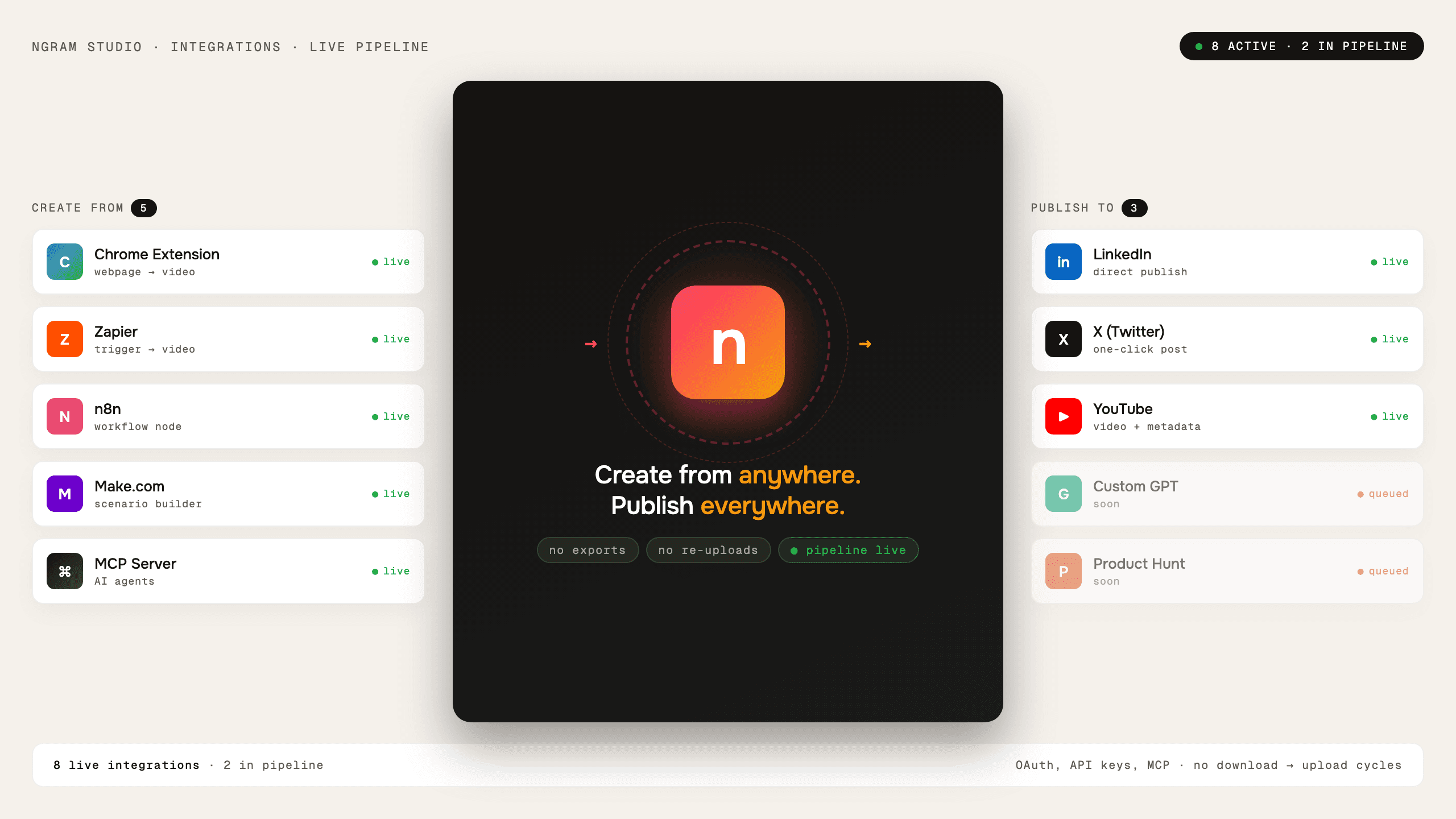
- Start work from automation, browser capture, API, or MCP workflows
- Use webhook support for video lifecycle events
- Route finished video work toward live publishing and integration pages
Trusted by teams at


Video work breaks when it leaves the operating system
Enterprise teams need repeatable video creation from product events, docs, tickets, launches, and support workflows. Manual copy-paste turns that into a side process.
Source events do not become video automatically
Release notes, tickets, product pages, and customer updates still need a person to start the project.
Status updates are hard to track
Long-running renders need job events, completion states, and failure handling.
Agents need a safe tool boundary
AI agents can help start video jobs only when there is a governed endpoint to call.
Enterprise Integrations give teams controlled entry points into ngram.
One video workflow, many entry points
Enterprise Integrations connect ngram to automation, browser capture, AI-agent workflows, API access, webhooks, and publishing routes.
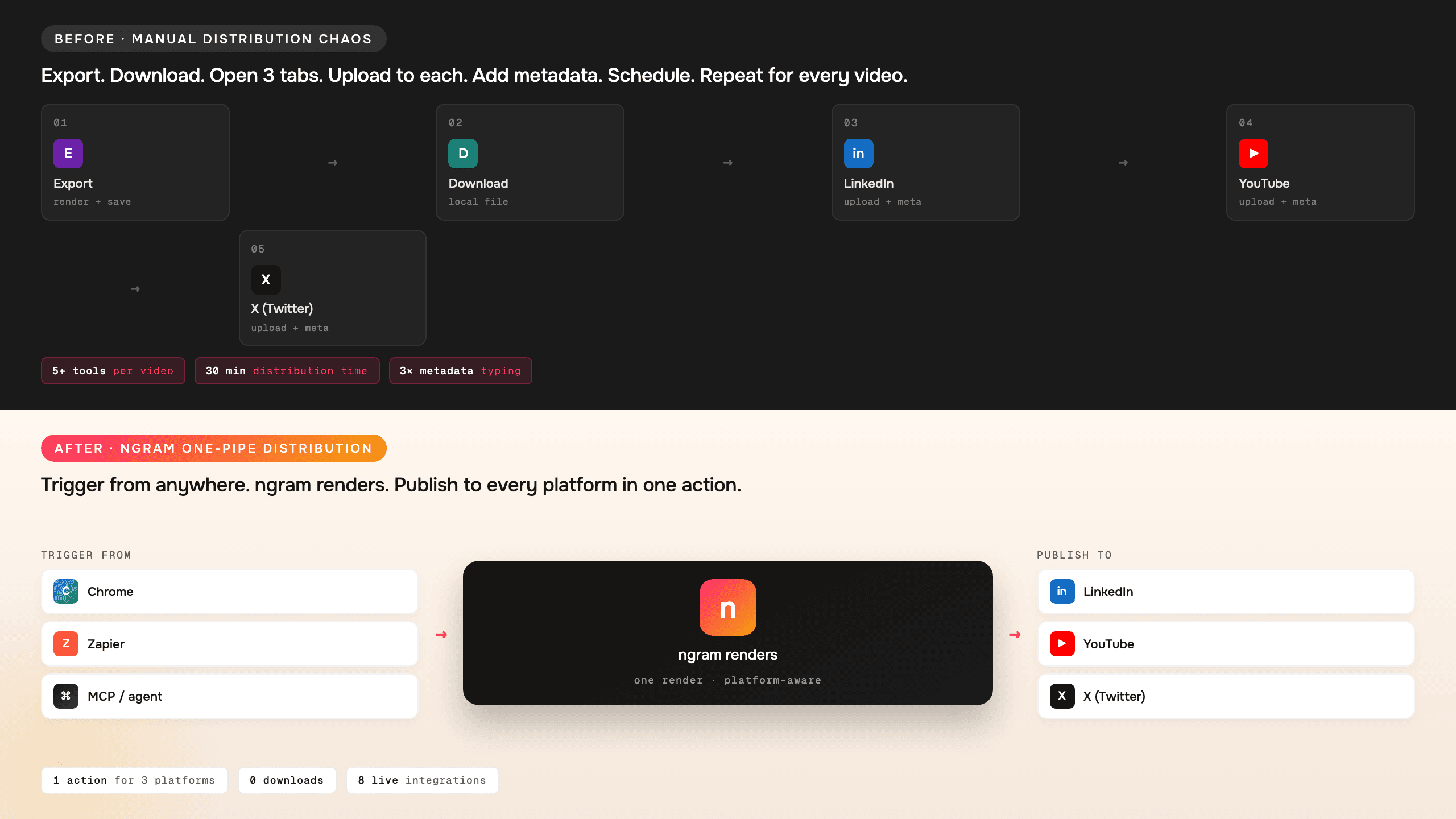
Teams can start, monitor, and route video work from existing systems.
Automation and API entry points
Use automation pages, REST API access, presigned uploads, and webhook events for repeatable video jobs.
Agent access through MCP
AI agents can invoke ngram tools through the Model Context Protocol endpoint when video creation is part of a task.
Browser and publishing routes
Use live integration pages for browser capture and channel workflows without claiming unsupported native plugins.
The integration layer follows current product access
ngram supports agentic chat, dedicated routes, REST API provisioning, webhooks, S3 uploads, and MCP access for teams that need controlled workflows.
Programmatic video jobs
Provisioned teams can submit prompts, retrieve generated videos, and manage assets through the REST API.
Webhook lifecycle support
Webhook subscriptions support job started, completed, and failed events for video workflows.
MCP endpoint for AI tools
The MCP server gives agentic environments a governed way to call ngram.
How Enterprise Integrations work
Choose the entry point that matches the system of record, pass source material into ngram, then monitor or route the output.
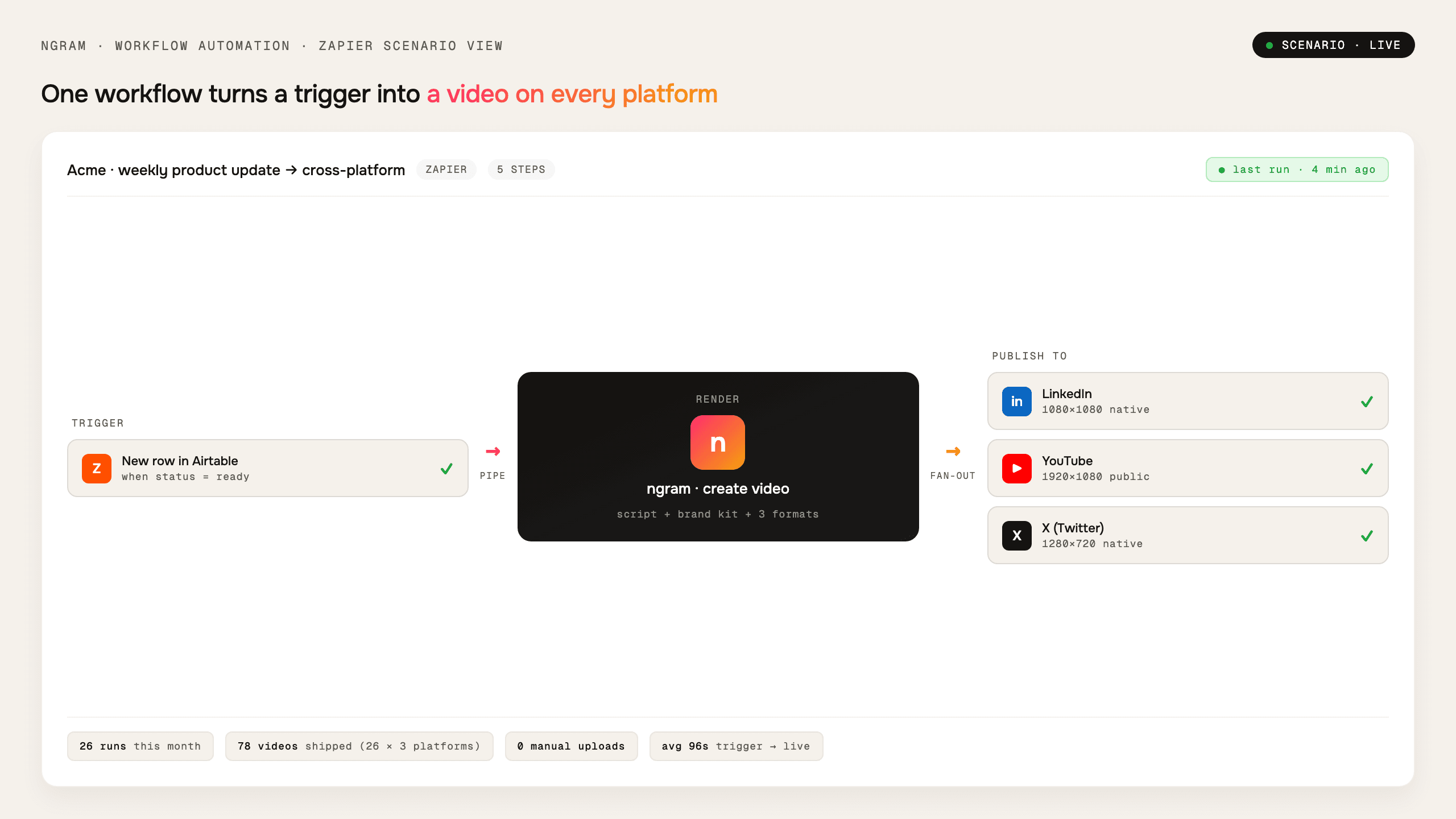
Choose an entry point
Use automation pages, browser capture, API access, webhook-backed workflows, or the MCP server.
Send source material
Pass prompts, files, URLs, or uploaded assets into ngram as the basis for the video.
Track and route output
Use job status, generated assets, hosted pages, embeds, or channel workflows once the video is ready.
Who uses Enterprise Integrations
Enterprise Integrations helps business teams turn existing material into clearer videos without separating the feature from the main ngram workflow.
Product marketing
Start repeatable launch video jobs from automation, API, or browser workflows.
Agencies
Connect source intake, render jobs, and delivery workflows for client video work.
Customer success
Turn help material, tickets, or docs into governed video workflows.
Founders
Let approved agents or automations start video work from the systems founders already use.
Where Enterprise Integrations fits in the real work.
Use Enterprise Integrations in the moments where a business message needs to become a clear, polished video for a specific audience, channel, or workflow.
DevRel Integration Guide Video
Record the full path from empty directory to first 200 OK once. Get back an SDK integration guide video with cursor emphasis on every config edit, smart zooms on terminal output, and your developer-portal branding — so the developer evaluating your platform ships before they file a single ticket.
API Documentation Video
Turn the same flow you would have screen-recorded for a tutorial into a polished API documentation video that cuts integration time from days to hours. No timeline editor. No production team. Drop in the recording, get back the embed-ready walkthrough.
Enterprise Deployment Training Video
Ship a deployment training video library — 50+ role-specific modules — in two weeks instead of two quarters. Captioned for global cohorts, branded for the L&D portal, re-renderable when the ERP release ships next sprint. No six-figure agency line item required.
Sales Demo Followup Video
Your demo went great. Now send a 90-second recap. A sales demo followup video maker hands you back a polished recap with smart zooms on the features they cared about, captions, and brand polish — ready before your prospect's attention fades.
Support Ticket Response Video
Record the fix on your screen, drop it into ngram, and send a support ticket response video that closes the issue on the first reply. Smart zooms on every click, captions burned in, branded intro — no timeline editor, no two-day email thread.
Changelog Video
Paste the release notes. Get back a polished changelog video in twenty minutes — motion graphics on the new UI, captions for the silent-autoplay crowd, and the brand kit baked in. Ship the next sprint's update before the freelancer would have replied to the brief.
Enterprise Integrations compared with the usual alternatives
Enterprise Integrations is built into the ngram video workflow. The comparison below uses conservative workflow categories instead of unsupported competitor claims.
| Capability | ngram | Manual workflow | Template editor | Point tool |
|---|---|---|---|---|
| Entry points | ● Chat, routes, API, webhooks, MCP, uploads | × Manual request intake | ~ Template form | ~ Single-purpose connector |
| Source material | ● Prompts, files, URLs, recordings, decks | × Collected by hand | ~ Often pasted into a template | ~ Depends on connector scope |
| Job lifecycle | ● Webhook events available for provisioned workflows | × Tracked in spreadsheets or messages | ~ Manual status checking | ~ Limited event model |
| Agent access | ● MCP endpoint | × Not available | ~ Usually not available | ~ Varies by tool |
Enterprise Integrations is stronger as part of a full video workflow
Use Enterprise Integrations with the adjacent ngram features that handle script, visuals, voice, brand, motion, collaboration, and export.
Multi-Format Export
Platform-correct aspect ratios and length caps that feed the publish connectors
Collaboration
Workspace review and approval before a publish-side connector goes live
Brand Kit
Brand consistency enforced on every render the integrations send out
AI Visuals
AI Visuals generates unique, brand-matched graphics for every scene in your video, with no stock footage, no prompting. Choose from 30+ artistic styles or let ngram pick automatically. Visuals appear in your tim...
AI Voiceover
AI Voiceover generates natural-sounding narration directly from your script. Pick a voice from 40+ options across 20 languages, hit generate, and the audio appears in your timeline already synced to your sce...
Motion Graphics
Motion Graphics in ngram adds animated text, lower-thirds, scene transitions, and animated charts to every video automatically. The renderer reads your script, places each animation on the right beat, and ap...
Start Enterprise Integrations from the source you already have
Already have a doc, recording, page, or deck? Use a converter to create the first draft, then refine the result with this feature in the editor.
URL to Video
Bring live web context into the video workflow without rebuilding the brief by hand.
Docs to Video
Convert workspace docs and policies into approved video communication.
Slides to Video
Turn enterprise decks into narrated walkthroughs for enablement and training.
PDF to Video
Use PDFs as source material for governed video drafts.
Recording to Video
Polish team recordings for internal enablement and external sharing.
Webinar to Clips
Repurpose long-form sessions into shorter clips for teams and customers.
Small utilities that help finish Enterprise Integrations videos
Use these focused tools on their own or as part of a bigger ngram workflow when a video needs cleanup, captions, conversion, or packaging.
Screen Recorder
Video Compressor
Video to Text
Audio to Text
PPT to Video
Video Converter
Convert finished or source videos when an integration workflow needs a different delivery file.
Video Editor
Connect ngram to the tools your team already uses
Use the live integration routes for automation, browser capture, agent access, and publishing. Keep video creation close to the work that starts it.

Zapier
Trigger ngram workflows from Zapier when a source event or form submission is ready for video.

Make.com
Build Make scenarios that pass prompts, files, or source material into ngram workflows.

n8n
Connect self-hosted or managed n8n workflows to ngram for repeatable video jobs.

MCP Server
Let AI agents call ngram through the Model Context Protocol endpoint when a video needs to be created.

Chrome Extension
Capture web context from the browser and send it into ngram as source material for a new video.

YouTube
Prepare finished videos for YouTube workflows and keep the source project in ngram.

Create business videos for LinkedIn campaigns, updates, launch posts, and social clips.

X (Twitter)
Turn source material into short update videos for X while keeping the edit workflow in ngram.
Need a custom workflow? Use the API, webhook support, or MCP route when your team needs a governed video pipeline.
Explore integrationsQuestions about Enterprise Integrations
Still curious?
Create your next video with Enterprise Integrations
Enterprise Integrations works inside ngram, so the script, scenes, brand, assets, and export path stay connected from first draft to final video.
Built for business video teams. Connected to the ngram workflow.