Remove Background Noise from Audio by ngram
Clean demo speech: Remove Background Noise from Audio

Drop an audio file or click to upload
MP3, WAV, M4A, AAC, FLAC, OGG - voice memos, podcast cuts, interview takes, narration
What it does
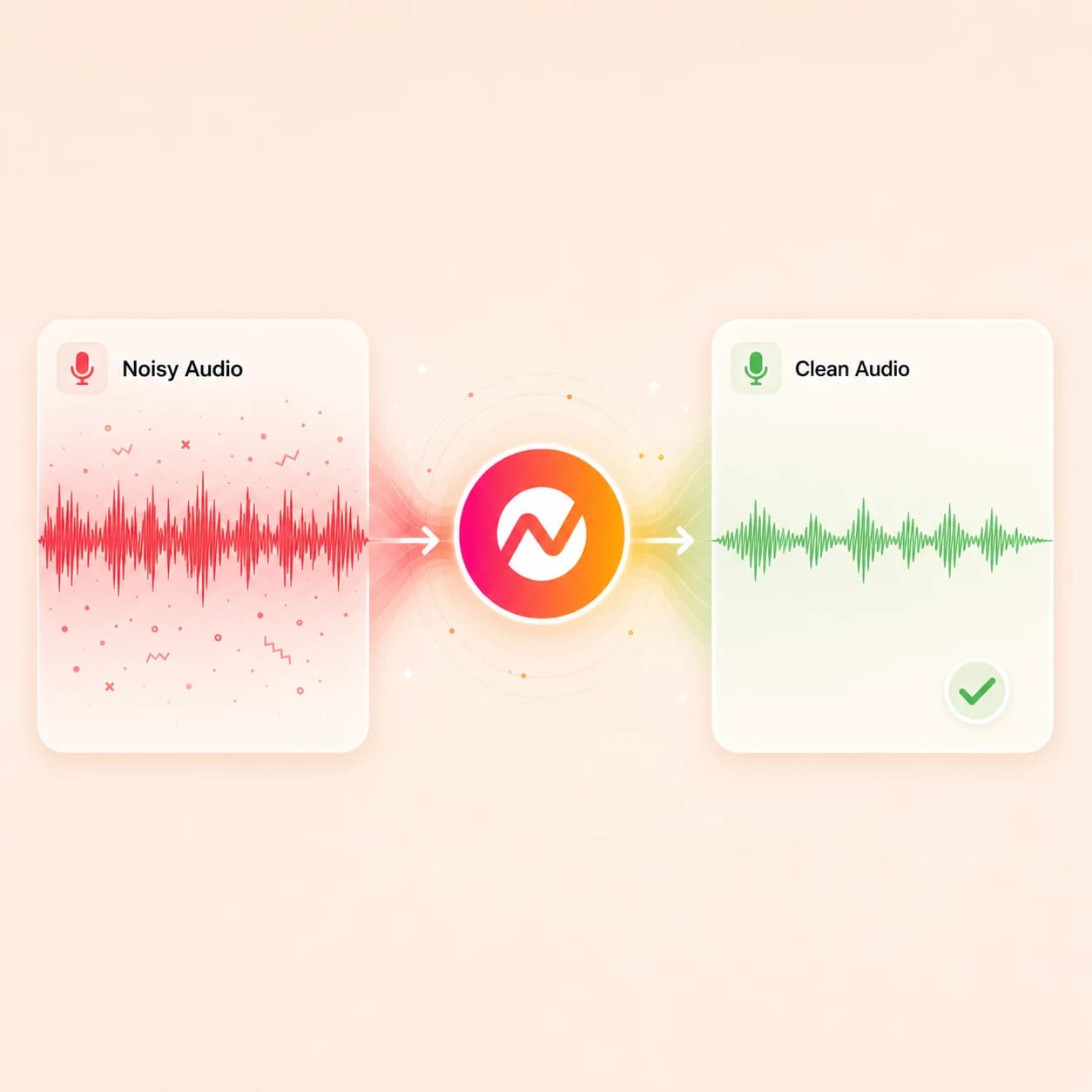
Upload an MP3, WAV, M4A, or voice memo, pull the voice out of the room noise, and keep the cleaned track ready for transcription, captions, voiceover edits, translated audio, and final video export.
Trusted by teams at


How it works
From a noisy recording to a usable voice track.
Upload the audio, clean the noise around the speech, listen back to the voice, then continue into transcripts, captions, voiceover, or finished video.
Upload the audio file
Start with a podcast cut, interview, voice memo, meeting recording, narration take, or remote-guest audio that has distracting background sound around the speech.
Audio uploaded
Strip the background noise
ngram reduces room tone, fans, hum, traffic, keyboard taps, and other steady noise around the voice so the speech sits forward in the mix.
Noise removed
Listen back to the voice
Compare the original and cleaned takes, check names and product terms, and make sure the voice still sounds like the person who spoke it.
Voice approved
Reuse the cleaned audio
Send the cleaned track into transcription, captions, voiceover swaps, translated audio, or a finished video edit without re-uploading the file.
Ready for production
What it can do
What audio noise removal does for the rest of the project.
Clean the voice once, then let the same track power transcripts, captions, voiceover, translation, and video work inside ngram.
Pull voice out of room tone
Reduce steady background noise behind podcast takes, interview cuts, voice memos, meeting audio, and remote-guest recordings so the speaker reads clearly.
A/B the cleaned audio
Listen to the original and cleaned versions side by side before you commit, so a podcast voice still sounds natural and not over-processed.
Feed cleaner transcripts
A quieter voice track gives AssemblyAI transcription cleaner input, so the transcript needs fewer corrections to names and product terms.
Open Audio to TextStyle captions on top of the audio
Once the voice is clear, captions, subtitles, and burned-in styling become reliable enough to ship in social clips and embedded videos.
Learn more about captionsReplace the voice when cleanup is not enough
If the take is too damaged to rescue, use the same project to swap in AI voiceover from ElevenLabs or MiniMax against the original script.
Learn more about AI voiceoverExport audio or finished video
Keep the result as a clean audio file or carry the same track into an MP4, WebM, GIF, or PPTX export inside the editor.
Built for podcast, interview, and voiceover audio
When it matters
Where cleaner audio unblocks a finished video.
These nine ngram use-case pages cover the jobs where a noisy audio file usually has to become a captioned, branded video next.
Product Demo Video
Turn product recordings and source notes into a clear demo video with captions, brand, and export settings kept together.
Open AI video use caseWebinar Clips
Strip room tone and panel hum from webinar audio, then cut captioned highlight clips for LinkedIn, Shorts, and Reels from the clearer voice track.
Open AI video use caseCustomer Testimonial Video
Pull customer quotes out of noisy interview audio, keep the speaker sounding like themselves, and build a testimonial video around the cleaned voice take.
Open AI video use caseMeeting Recap Video
Clean meeting audio so decisions, names, and action items come through clearly in the captioned recap video that goes out to teammates who missed the call.
Open AI video use caseDevRel Conference Talk Video
Reduce venue noise on conference talk audio before chopping the recording into tutorials, captioned clips, and evergreen developer videos.
Open AI video use caseTraining Video
Clean lesson narration, SOP voiceover, and trainer audio so training videos read clearly for new hires, customers, and field teams.
Open AI video use caseSales Demo Follow-up
Clean follow-up voice memos and call audio recorded between meetings, then turn them into short captioned videos buyers can replay after the call.
Open AI video use caseInternal Communication Video
Pull leadership announcements and async voice updates out of background noise so internal videos keep the tone of the person speaking.
Open AI video use caseEducator Lecture Recap Video
Clean recorded lecture audio so transcripts and captioned recap videos give students a study asset that actually reads back the way the lesson sounded.
Open AI video use caseProduct stack
Features that finish the work once the audio is clean.
Audio cleanup is the first step. These ngram features take the cleaned voice track into transcripts, captions, voiceover, translation, brand, and export.
Captions & Subtitles
Run captions off the cleaned audio so timing, line breaks, and burned-in subtitle styling match what the speaker actually said.
Learn more about captionsAI Voiceover
Swap the original voice for an ElevenLabs or MiniMax voiceover when cleanup gets you close but the take still needs a fully clean read.
Learn more about AI voiceoverScript Generation
Use the cleaned audio transcript as raw material for a tighter script when the original recording is closer to a draft than a finished read.
Learn more about script generationTranslation & Localization
Translate the script, captions, and voiceover off the cleaned audio so localized variants ship from one clean source instead of one rough one.
Learn more about translationMusic
Add background music after the voice is clean and keep the mix balanced so the cleanup work does not get drowned out under the bed track.
Learn more about musicVideo Editing
Move the cleaned audio into the timeline editor for trims, scenes, callouts, and brand styling once the voice track is the foundation of the cut.
Learn more about video editingBrand Kit
Apply brand fonts, colors, and approved phrasing to captions and on-screen text once the audio behind the video is ready for publishing.
Learn more about brand kitMulti-Format Export
Render the cleaned audio inside MP4, WebM, GIF, PNG, JPG, or PPTX outputs depending on whether the deliverable is video, social, or a deck.
Learn more about exportMore tools
Tools that pair with audio noise removal.
Use these around the cleaned audio file to transcribe, caption, replace voice, or finish the video.
Prepare the voice track
Get the audio ready before transcription and editing
Remove Background Noise from Video
Clean the audio track inside a video file when the noisy source is a clip instead of a standalone MP3 or WAV.
Open toolAudio to Text
Transcribe the cleaned audio with AssemblyAI and timestamps so the words land as editable text.
Open toolVideo to Audio
Pull the audio out of a video clip first, clean it as a standalone file, then put it back into the video project.
Open toolReplace or generate the voice
Use a new voiceover when cleanup alone is not enough
AI Voice Generator
Generate a clean ElevenLabs or MiniMax voiceover from the script when the original audio is too rough to keep, even after cleanup.
Open toolText to Speech Video
Turn a polished script into a narrated video when re-recording the voice is faster than rescuing the original audio.
Open toolVoice Dubber
Replace the cleaned spoken track with a localized voiceover when the same audio needs to ship in another language.
Open toolTurn cleaned audio into video
Wrap visuals, captions, and brand styling around the voice
Audio to Video
Build a captioned video on top of the cleaned audio so a podcast cut or interview turns into a publishable social or web video.
Open toolAdd Subtitles to Video
Generate timed, burned-in subtitles off the cleaned voice track once the audio is the foundation of a finished video.
Open toolVideo Caption Generator
Spin animated captions for short social clips around the cleaner voice take so vertical posts read clearly with sound off.
Open toolAdd Music to Video
Drop background music under the cleaned voice and balance the mix so the noise work survives the final bed.
Open toolConvert
Audio sources that usually need a noise pass first.
Three converters that pair tightly with cleaned audio, plus more starting points when the recording is heading into a finished video.
Audio to Video
Turn a cleaned podcast cut, voice memo, or interview file into a captioned video with brand styling layered on top of the speech.
Open converterWebinar to Clips
Use a noise-cleaned webinar audio track to cut short, captioned clips from the strongest moments in the panel or talk.
Open converterVideo to Audio
Pull the audio out of a video file first so cleanup, transcription, and voiceover work happens against the raw speech track.
Open converterWho it is for
Teams that work from voice recordings every week.
These ngram solution pages cover the teams whose recordings, interviews, and voiceover takes need to read cleanly before they ship as video.
Growth Marketing Teams
Repurpose webinars, launch assets, and campaign source material into channel-ready business video.
See growth marketing workflowsProduct Marketing
Polish interview audio for launch films, demo voiceover, and customer story videos so the cleanup work shows up in every channel variant.
See product marketing workflowsCustomer Success
Strip background noise from customer call audio, onboarding recordings, and QBR voiceover before they become captioned customer-facing videos.
See CS workflowsSales Enablement
Clean demo narration and prospecting voice memos so follow-up videos sent to buyers carry a focused, professional voice track.
See sales workflowsDeveloper Relations
Reduce venue noise on conference talks, podcast guest spots, and tutorial voiceover before they become evergreen developer content.
See DevRel workflowsEducators
Clean lecture audio, lab discussions, and seminar voiceover so transcripts and recap videos read back what was actually said.
See educator workflowsSupport Teams
Pull noise out of support call recordings and walkthroughs before they turn into captioned help videos for the docs site.
See support workflowsHR & Internal Comms
Clean exec recordings, town hall audio, and policy voiceover so internal videos stay on-message instead of fighting room hum.
See HR workflowsAgencies & Consultants
Rescue client interview audio, founder recordings, and partner takes so deliverables read clean even when the source recording was rough.
See agency workflowsIntegrations
Route noisy audio in, send the cleaned version out.
These live ngram integrations move audio files into the cleanup tool and push the result, the transcript, or the finished video to the rest of the stack.
Zapier
No-codeWhenA new podcast episode, voice memo, or interview audio file lands in Drive, Dropbox, or a podcast host
ThenSend the audio into ngram for noise cleanup and notify the editor when the cleaned file is ready
n8n
WorkflowWhenA meeting bot or call recorder posts a new audio recording to the pipeline
ThenRoute the audio into ngram for noise removal, transcription, and the next captioned-video step
Make.com
ScenarioWhenA customer interview MP3 is approved in the review folder
ThenRun audio cleanup in ngram and drop the cleaned file plus transcript back into the CRM record
MCP Server
AgenticWhenClaude or ChatGPT is handed a noisy audio file and asked to clean and caption it
ThenCall ngram's audio cleanup tool over MCP and return the cleaned audio plus the captioned video
Chrome Extension
CaptureWhenYou find a hosted podcast episode or interview audio worth cleaning
ThenSend the audio source into ngram without downloading and re-uploading the file by hand
WhenA short captioned clip from the cleaned audio is approved for posting
ThenPublish the clip to LinkedIn with the matching hook and quote pulled from the transcript
X (Twitter)
PublishWhenAn audio teaser clip from the cleaned podcast cut is ready to go out
ThenPost the clip to X with caption text generated from the cleaned-audio transcript
YouTube
PublishWhenA full audio-led episode is finished as a captioned video with the cleaned voice track
ThenUpload it to YouTube with transcript-derived chapters, title, and description fields filled in
Why ngram
How ngram compares to standalone audio cleaners.
Adobe Podcast, Krisp, Auphonic, and Descript Studio Sound all clean spoken audio well. ngram fits when the cleaned file has to keep moving into transcripts, captions, voiceover, and finished video without switching tools.
| Compare | ngram | Adobe Podcast | Krisp | Descript Studio Sound |
|---|---|---|---|---|
| Workflow fit | Cleans podcast, interview, and voice-memo audio, then keeps the same track tied to AssemblyAI transcription, captions, voiceover, translation, and video export inside one project. | Adobe Podcast Enhance Speech runs spectral processing on uploaded audio and now isolates speech, background noise, and music as separate stems on Premium. | Krisp focuses on real-time noise cancellation during meetings and calls, plus an AI note taker that captures transcripts and summaries. | Descript Studio Sound regenerates speech audio to strip reverb, room noise, and mic noise inside Descript's transcript-based editor. |
| How ngram fits | Routes audio through Zapier, n8n, Make, MCP, and the Chrome extension so noisy recordings move in and cleaned videos go out without manual uploads. | Strong fit when the deliverable is a polished WAV or MP3 ready for a podcast host and no video workflow is attached. | Strong fit when the goal is removing noise live during a Zoom, Meet, or Teams call rather than cleaning a recorded file afterward. | Strong fit when the editing surface is the transcript itself and the deliverable is a podcast or video edited in Descript. |
| Best use | Best when audio noise removal is one step inside a larger business video workflow, not the final deliverable. | ngram pairs the same kind of speech cleanup with the captions, brand styling, and channel exports that turn the audio into video. | ngram fits when the recording already exists as a file and needs to become a captioned, branded, exportable asset. | ngram fits when the cleaned audio should fan out into captions, AI voiceover swaps, multilingual variants, and channel-ready video exports. |
FAQ
Common questions about removing background noise from audio
Still curious?
Keep the voice. Lose the room.
Upload an audio file, strip the noise around the speech, and keep the cleaned track ready for transcripts, captions, voiceover, translation, and a finished video edit in ngram.
Use the focused audio noise remover now, then finish the full project inside ngram.
Audio cleanup, transcripts, captions, export